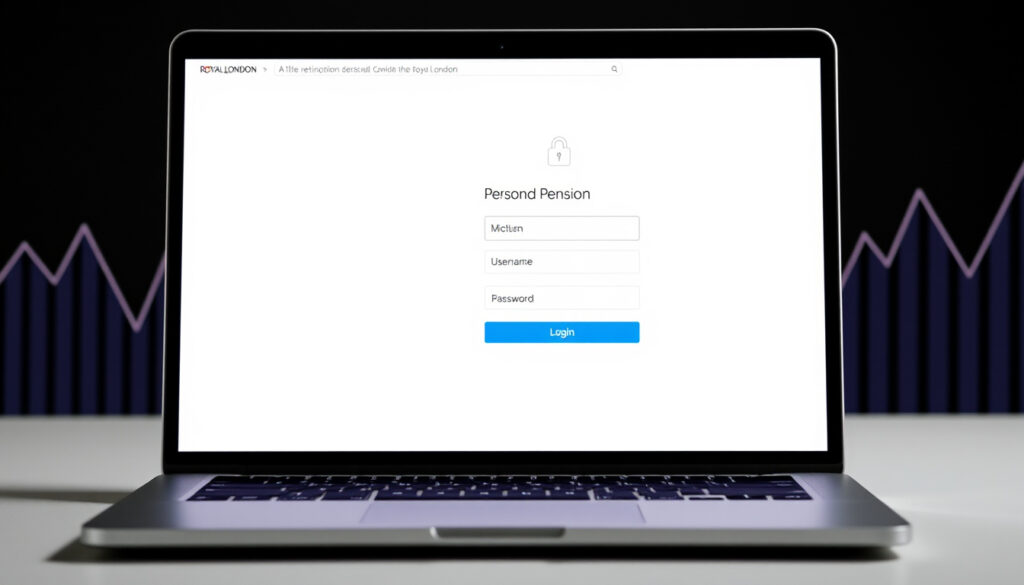
Royal London Pension Login – How to Access Your Account
Royal London pension members can access their accounts through dedicated online portals, with different login paths depending on the type of pension held. Whether you have a workplace pension, a personal plan, or a scheme dating back to Scottish Life, the process begins with identifying the correct portal for your circumstances.
As the UK’s largest mutual provider for pensions and investments, Royal London serves millions of members across various product types. Understanding which login portal applies to your specific pension arrangement ensures you reach the right resources without unnecessary delays or frustration.
This guide walks through the official access points, authentication requirements, password recovery options, and common troubleshooting steps for members seeking to manage their pension information online.
How Do I Log In to My Royal London Pension Account?
The login process varies depending on your pension type. Royal London operates separate portals for group pension schemes, personal pensions taken out since 2004, and general account access. Identifying your scheme type first prevents attempts at the wrong portal.
Official Login Portals by Pension Type
epa.towerswatson.com/accounts/roy/
royallondon.com/existing-customers/online-service/
royallondon.com/existing-customers/online-service/
employer.royallondon.com
- Always verify you are on the official Royal London domain before entering credentials
- Bookmark the relevant portal URL after first successful access
- Enable additional security measures where available in your account settings
- Keep your registered email address current to receive important communications
- Contact scheme administrators directly for group pension-specific access issues
- Download the Royal London mobile app after registration for convenient on-the-go access
| Fact | Details |
|---|---|
| Provider | Royal London (UK’s largest mutual pension provider) |
| Group Scheme Portal | epa.towerswatson.com/accounts/roy/ |
| Personal Pension Portal | royallondon.com/existing-customers/online-service/ |
| User ID Formats | ROYRE, ROYRL, ROYSL, ROYUF followed by numbers |
| Workplace Pensions | Access via employer.royallondon.com |
| Mobile App | Available in App Store for registered members |
| Group Scheme Support | royallondongroup@willistowerswatson.com |
| Group Scheme Phone | 0113 394 9307 |
What Are the Royal London Pension Login Requirements?
Accessing your Royal London pension account requires specific credentials depending on the portal in use. The requirements differ between group pension schemes and personal or general pension accounts.
Group Pension Scheme Credentials
Members of the Royal London Group Pension Scheme must obtain their User ID from their employer or scheme administrator. User IDs follow consistent formats beginning with prefixes such as ROYRE, ROYRL, ROYSL, or ROYUF, followed by a unique seven-digit number sequence. Along with this identifier, members need the password established during initial account setup or provided through the welcome process.
Personal and General Pension Access
For pensions taken out since 2004 or those previously administered under Scottish Life, registration is required before first login. Members need their policy or plan number, which appears on existing correspondence or pension documentation. During registration, applicants answer questions about their products to verify identity before creating login credentials.
New users must register through the online services page before accessing personal pension accounts. The registration process requires your policy number and answers to security questions about your products. A prior activation email may have been sent; if it has expired, members can request a new one through the support channels.
Workplace Pension Considerations
Employees covered under workplace pension arrangements should verify whether their employer uses a separate employer portal for administrative tasks. While individual members access their personal accounts through the standard member portals, certain employer-sponsored features may require separate authentication through the employer.royallondon.com platform.
Why Can’t I Log Into My Royal London Pension?
Login difficulties occur for several identifiable reasons. Most issues stem from credential mismatches, outdated contact information, or activation problems rather than system-wide outages. Understanding the common causes helps members resolve access problems without unnecessary support calls.
Common Login Issues and Solutions
Incorrect User ID format ranks among the most frequent login obstacles for group pension members. The system requires exact entry of your assigned identifier, including the prefix and all seven numeric characters. Minor typing errors or omitted digits will result in authentication failure. Users unsure of their User ID format can use the “Forgotten your User ID or Password?” link on the login page.
Expired activation emails prevent new users from completing registration. When joining Royal London’s online services for the first time, members receive an activation link via email. If this link expires before use, the system requires a new activation request. Members can typically resend this through the registration portal or by contacting support.
Verify your User ID format includes all characters (ROYRE1234567). Clear browser cache and cookies before retrying. Check that your registered email address is current. Ensure Caps Lock is off during password entry. Test whether the Unipass certificate is valid if using IFA login.
Outdated contact details create complications when the system sends password reset links or security notifications to inactive email addresses. Members should update their registered email immediately upon any change to ensure continuous access to important pension communications.
IFA and Professional Advisor Access
Financial advisors and intermediaries accessing client pension information through the IFA portal may encounter certificate-related issues. The IFA login page requires valid Unipass certificates. Problems with certificate validity should be directed to the relevant certificate authority rather than general Royal London support channels.
How Do I Reset My Royal London Pension Password?
Password recovery options differ slightly between portal types but follow similar self-service principles. Members can typically reset credentials without contacting support, provided they retain access to their registered email address or can verify their identity through security questions.
Resetting Passwords on the Group Pension Portal
Members of the Group Pension Scheme can reset their password directly from the login page at epa.towerswatson.com/accounts/roy/. The “Forgotten your User ID or Password?” link initiates a recovery process that sends verification instructions to the member’s registered email. Following the link in that email allows entry of a new password meeting the system’s complexity requirements.
General Account Password Recovery
Members with personal pension, investment, or insurance accounts through Royal London can access password reset through the general online services portal. The “Forgotten…” link on the login page starts the recovery workflow. Similar recovery options exist for the protection portal used for certain insurance products.
Group Pension Scheme members experiencing persistent login issues should contact scheme administrators directly at royallondongroup@willistowerswatson.com or by calling 0113 394 9307. This dedicated support line handles employer-sponsored pension arrangements and can assist with complex account recovery situations that self-service options cannot resolve.
Members without access to their registered email address face additional verification requirements. In such cases, contacting support directly becomes necessary to confirm identity through alternative means before credentials can be reset.
What to Expect During Your Access Journey
Understanding the typical sequence of events helps members navigate their first login and ongoing access requirements. The journey from initial setup to regular portal use follows a predictable pattern with specific milestones.
- Account setup: New members receive their User ID through employer onboarding or a welcome pack containing their plan details and registration instructions.
- First login: Initial access requires email verification, where members click a link sent to their registered address to activate online services.
- Profile completion: Members are prompted to review and update contact details, security preferences, and communication settings during their first session.
- Ongoing access: Subsequent logins use standard credentials, with annual statements and important updates delivered through the portal.
- Portal updates: Royal London periodically refreshes their digital platforms; members should check official communications for notification of changes or new features.
A visual guide demonstrating the login process is available for members who prefer step-by-step walkthroughs of the authentication workflow.
What Is Confirmed and What Remains Unclear
Transparency about the boundaries of available information helps readers understand the scope of this guide and where to seek additional details for their specific circumstances.
Confirmed Information
- Official login via royallondon.com domains
- Group Pension Scheme portal at epa.towerswatson.com/accounts/roy/
- Self-service password reset available on all portals
- Mobile app available in App Store for registered members
- Employer portal at employer.royallondon.com
- Support contact for Group Scheme: royallondongroup@willistowerswatson.com / 0113 394 9307
- No specific 2FA implementation documented in available sources
Information Requiring Clarification
- Employer-specific access delays may vary by organisation
- Legacy account migration timelines depend on individual circumstances
- SIPP-specific login procedures not detailed in public documentation
- Two-factor authentication availability remains unclear
- Specific error code meanings not publicly documented
Understanding Your Secure Access to Pension Information
Royal London’s position as the UK’s largest mutual provider for pensions and investments means millions of members rely on their digital infrastructure to monitor retirement savings. Secure access protects sensitive financial data while enabling convenient account management without phone calls or postal correspondence.
The provider’s regulatory status under Financial Conduct Authority oversight ensures appropriate security standards for handling pension assets. Members accessing their accounts through official portals benefit from encrypted connections and authentication protocols designed to protect personal information.
For members unsure about retirement options or pension planning, resources from Money Helper provide free guidance on accessing pension savings from age 55, regardless of employment status. This government-backed service complements the information available through Royal London’s member portals.
Royal London is the UK’s largest mutual provider for pensions and investments, serving members across workplace, personal, and legacy pension arrangements.
— Royal London Official Website
Summary
Accessing your Royal London pension account requires identifying the correct portal for your pension type, using the appropriate credentials, and maintaining current contact information in your profile. The official online services page serves as the primary access point for personal pensions, while the group pension portal handles employer-sponsored schemes. Password reset options are available on all login pages, with dedicated support channels for members unable to resolve issues through self-service. Santander Closing 44 Locations represents one example of how financial institutions regularly update their service networks, making digital account access increasingly important for monitoring pension arrangements.
Frequently Asked Questions
What if I don’t have my policy number?
Contact Royal London directly using the phone number on any correspondence you’ve received. Alternatively, for Group Pension Scheme members, reach the administrator at royallondongroup@willistowerswatson.com or 0113 394 9307 to request your policy details.
Is there a Royal London pension app for mobile login?
Yes, a Royal London app is available in the App Store for members who have completed registration. The app allows viewing of savings and pension information on mobile devices, though an existing online account is required before downloading.
How secure is the Royal London pension login?
Login pages use HTTPS encryption to protect data in transit. As an FCA-regulated provider, Royal London implements security measures appropriate for handling pension assets and personal financial information.
Can I access my workplace pension through the same portal?
Workplace pension members use the same member portals for individual account access. Employers use a separate portal at employer.royallondon.com for administrative functions, but this does not replace individual member login credentials.
What should I do if my activation email has expired?
Request a new activation email through the registration portal. If this option is unavailable or unsuccessful, contact Royal London support to resend the activation link to your registered email address.
Are there different login requirements for SIPP accounts?
No specific SIPP login procedures are documented separately. General pension access applies from age 55 for retirement options, with members using standard member portals based on their plan type.
How do I update my contact details after logging in?
Once logged into your account, navigate to your profile or account settings section to update email address, phone number, and mailing preferences. Keeping these current ensures you receive important pension communications.
More related posts
 Best Small Electric Car 2026: Top Picks and Buying Guide
 Lena the Plug Divorce: Identity Theft Claim Explained
 Charlie Cooper Movies and TV Shows: Complete Filmography
 Ginny Buckley: Children, Husband, Career, and What She Does Now
 Inter Milan vs Bayern Munich Lineups – Predicted XIs, Injuries & Tactics
 The Godfather Part II: Why It’s Better Than the Original
 Post Office Bank Account Guide: Open, Requirements & Benefits
 Horse & Country TV: Channel Number, Cost & How to Watch
